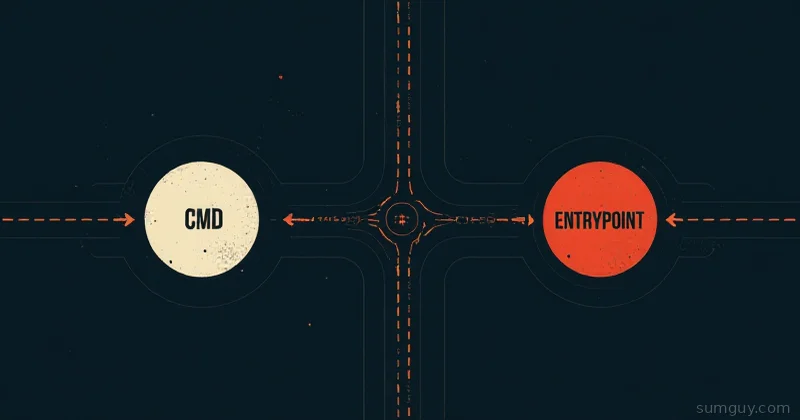
CMD and ENTRYPOINT are confusing because they try to solve different problems, but people use them interchangeably. Once you understand what each does, it clicks.
ENTRYPOINT is the command that always runs. CMD is the default arguments to that command. But it’s more nuanced than that, and the difference between shell and exec form changes everything.
Shell Form vs Exec Form
This matters more than you think.
Shell form:
ENTRYPOINT python app.pyCMD echo "hello"Exec form:
ENTRYPOINT ["python", "app.py"]CMD ["echo", "hello"]The difference:
- Shell form wraps your command in
/bin/sh -c, meaning the shell becomes PID 1 - Exec form runs your command directly, no shell wrapper
Why does this matter? Signals. If your container is PID 1 (the shell in shell form), it doesn’t receive SIGTERM and SIGINT properly. That’s why you should almost always use exec form.
The Behavior Matrix
This is where it gets tricky. Docker’s behavior depends on both ENTRYPOINT and CMD, and whether each uses shell or exec form.
Case 1: ENTRYPOINT (exec) + CMD (exec)
ENTRYPOINT ["python"]CMD ["app.py"]What runs: python app.py
CMD becomes arguments to ENTRYPOINT. Clean, predictable.
Invoke it:
$ docker run myapp# Runs: python app.py
$ docker run myapp --debug# Runs: python --debug# (replaces CMD, but ENTRYPOINT stays)
Case 2: ENTRYPOINT (shell) + CMD (shell)
ENTRYPOINT python app.pyCMD python app.pyWhat runs: /bin/sh -c "python app.py"
The shell is PID 1. Don’t do this. Signals won’t work.
Case 3: ENTRYPOINT (exec) + CMD (shell)
ENTRYPOINT ["python", "app.py"]CMD python server.pyWhat runs: python app.py /bin/sh -c python server.py
The shell wrapper from CMD gets passed as arguments to ENTRYPOINT. Broken.
Case 4: Only CMD (exec)
CMD ["python", "app.py"]What runs: python app.py (directly as PID 1)
This works, but limits flexibility.
Case 5: Only ENTRYPOINT (exec)
ENTRYPOINT ["python", "app.py"]What runs: python app.py (directly)
Also works, but you can’t override with arguments.
The Pattern: ENTRYPOINT + CMD Together
The recommended pattern:
ENTRYPOINT ["python"]CMD ["app.py"]This means:
- Default behavior:
python app.py - With args:
docker run myapp --debug→python --debug(replaces CMD) - With override:
docker run --entrypoint /bin/bash myapp→/bin/bash(replaces both)
You get flexibility: arguments override CMD, and —entrypoint overrides everything.
Real Examples
Web Server
FROM node:22WORKDIR /appCOPY . .ENTRYPOINT ["node"]CMD ["index.js"]$ docker run myapp# Runs: node index.js
$ docker run myapp --inspect# Runs: node --inspect# (useful for debugging)
$ docker run --entrypoint npm myapp test# Runs: npm test# (completely different command)Python CLI Tool
FROM python:3.11WORKDIR /appCOPY . .ENTRYPOINT ["python", "-u"] # -u = unbuffered outputCMD ["main.py"]$ docker run mytool# Runs: python -u main.py
$ docker run mytool --help# Runs: python -u --help
$ docker run --entrypoint bash mytool# Runs: bash# (drop into shell for debugging)Database Backup Script
FROM postgres:15ENTRYPOINT ["pg_dump"]CMD ["--help"]$ docker run pgdump# Runs: pg_dump --help
$ docker run pgdump -h myhost -U postgres mydb > backup.sql# Runs: pg_dump -h myhost -U postgres mydbShell Form: When It’s Okay
There are cases where shell form makes sense:
FROM ubuntuRUN apt-get update && apt-get install -y curlENTRYPOINT curl https://api.example.comIf you need environment variable interpolation:
ENTRYPOINT echo "Deployed at ${BUILD_TIME}" # ← Shell expands variablesUse shell form only if you need shell features (variable expansion, pipes, redirection). Otherwise, exec form.
The Debug Trick
When your container doesn’t start, you can drop into a shell:
$ docker run --entrypoint /bin/sh myapp -c "set -x; python app.py"# ← Run with debug outputOr:
$ docker run --entrypoint /bin/bash myapproot@abc123:/app# python app.py# ← Interactive shellThis is why you want a basic shell in your image (not always true for distroless).
Distroless Pattern
If you use Google’s distroless images, there’s no shell, and you can’t override:
FROM gcr.io/distroless/nodejs22-debian12COPY app /appWORKDIR /appENTRYPOINT ["/nodejs/bin/node", "index.js"]Distroless images are secure and minimal. Trade-off: you can’t easily debug with --entrypoint /bin/bash. Plan accordingly.
Compose Override
In Docker Compose, you can override:
services: api: build: . entrypoint: ["python"] command: ["app.py", "--debug"]This is cleaner than command-line flags for persistent configs.
Checklist for Your Dockerfile
- Use exec form for both ENTRYPOINT and CMD:
["cmd", "args"] - ENTRYPOINT is the command, CMD is the default args
- Don’t use shell form unless you need variable expansion
- Test signals:
docker run myapp→ Ctrl+C should stop it immediately - Test overrides:
docker run myapp arg1 arg2should work - Document what args your container accepts
Quick Reference
# Best practiceENTRYPOINT ["python"]CMD ["app.py"]
# Usagedocker run myapp                    # python app.pydocker run myapp --debug            # python --debugdocker run --entrypoint bash myapp  # bash
CMD and ENTRYPOINT aren’t magic. They’re just a way to define what your container does. Exec form + the pattern above gives you the most flexibility with the least pain.