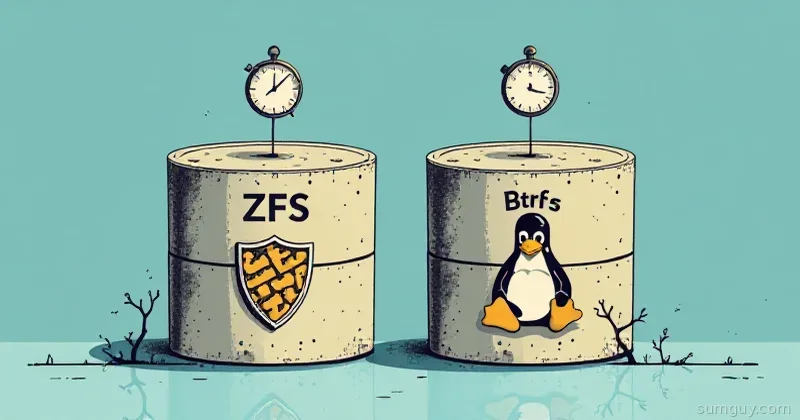
Your drives are silently corrupting data. Right now. And ext4 is not telling you.
That bit flip happened three weeks ago. You won’t find out until you try to restore something from backup, and then you’ll be in the disaster zone with no recourse. This is the unspoken nightmare of traditional filesystems. They write data, they assume it’s fine, they move on.
ZFS and Btrfs were built to stop this madness. They’re the modern filesystems that actually give a damn about your data integrity. But they’re also completely different animals, and picking the wrong one for your home lab is like hiring a forklift to move a couch.
Why Ext4 Is Not Enough Anymore
Ext4 is fine. It’s stable, it’s boring, it’s everywhere. But “fine” doesn’t mean “safe.”
Here’s what ext4 doesn’t do:
- No checksums. Data corruption goes undetected. A bitflip in a file you access tomorrow, and ext4 will happily serve you corrupted data.
- No snapshots. You want to roll back a directory? Tough luck. You’re restoring from backup or you’re eating the loss.
- No copy-on-write. Every write is in-place. If power fails mid-write, you get corruption.
- No data redundancy in the filesystem. RAID is external to ext4, separate concern, separate problems.
You can layer solutions on top (LVM snapshots, external RAID, separate backup tools), but you’re stacking tape on a broken window. Modern filesystems fold all of this into the foundation.
ZFS: The Paranoid Fortress
ZFS is what happens when storage engineers decide data loss is a crime against humanity and build a filesystem to match that conviction.
The Philosophy
ZFS uses Copy-on-Write (CoW): when you modify a file, ZFS doesn’t overwrite existing blocks. Instead, it writes new blocks elsewhere and updates the metadata to point to them. The old blocks stay intact until they’re no longer referenced. This sounds wasteful, but it’s brilliant.
Every block has a checksum (fletcher4 by default; SHA256 or Blake3 for stronger integrity). Every write is verified on read. Corruption detected? ZFS knows immediately and can heal it from redundancy.
Data lives in pools. Pools are made of vdevs (virtual devices, could be single disks or RAID). Pools contain datasets, which are like filesystems with inheritance. It’s a whole ecosystem.
Real Commands: ZFS in Action
Create a pool with three drives in RAIDZ1 (like RAID 5):
sudo zpool create -f mypool raidz1 /dev/sda /dev/sdb /dev/sdcList the pool:
zpool status mypoolCreate a dataset (filesystem) inside the pool:
sudo zfs create mypool/homeTake a snapshot (instant, zero-copy):
sudo zfs snapshot mypool/home@backup-2026-04-07Roll back to that snapshot:
sudo zfs rollback mypool/home@backup-2026-04-07Send the snapshot to another machine (perfect for offsite backup):
sudo zfs send mypool/home@backup-2026-04-07 | ssh remote "zfs receive backup/home"Scrub the pool (verify every block’s checksum):
sudo zpool scrub mypoolThe Tradeoff: RAM
ZFS is greedy. The ARC cache (Adaptive Replacement Cache) will consume half your system RAM by default, and it does this aggressively. On a home lab NAS with 8GB RAM, you’ll see ZFS grab 4GB instantly. This is good for performance, terrible for shared machines.
Limit ARC if you’re sharing hardware:
echo "options zfs zfs_arc_max=$((4 * 1024 * 1024 * 1024))" | sudo tee /etc/modprobe.d/zfs-arc.confBtrfs: The Scrappy Upstart
Btrfs is built into the Linux kernel. No separate kernel module. No boot-time setup. It does CoW, snapshots, and RAID without the paranoia tax.
The Philosophy
Btrfs borrows heavily from ZFS’s playbook but stays lighter. It has checksums, CoW, snapshots, and native RAID. But it doesn’t require a separate storage abstraction layer, it’s just a filesystem.
Subvolumes are Btrfs’s version of datasets. They nest, they snapshot independently, they’re flexible.
Real Commands: Btrfs in Action
Create a Btrfs RAID1 pool (mirroring) across two drives:
sudo mkfs.btrfs -L mypool -d raid1 -m raid1 /dev/sda /dev/sdbMount it:
sudo mount /dev/sda /mnt/mypoolCreate a subvolume:
sudo btrfs subvolume create /mnt/mypool/homeTake a snapshot:
sudo btrfs subvolume snapshot /mnt/mypool/home /mnt/mypool/home@backup-2026-04-07Roll back (delete the current subvolume, rename the snapshot):
sudo btrfs subvolume delete /mnt/mypool/homesudo mv /mnt/mypool/home@backup-2026-04-07 /mnt/mypool/homeScrub the filesystem:
sudo btrfs scrub start /mnt/mypoolsudo btrfs scrub status /mnt/mypoolThe Upside: Lighter Footprint
Btrfs doesn’t require the same RAM overhead. It runs comfortably on machines with 2 to 4GB. Btrfs RAID5 and RAID6 are still flagged experimental, the write hole bug never fully went away, even on current kernels, so stick with RAID1 or single-disk setups.
Head-to-Head: The Decision Matrix
| Feature | ZFS | Btrfs |
|---|---|---|
| CoW + Checksums | ✓ | ✓ |
| Snapshots | ✓ | ✓ |
| Native RAID | ✓ (raidz1/2/3) | ✓ (raid1, raid5/6 experimental) |
| RAM requirements | 4 to 8GB typical | 1 to 2GB typical |
| Maturity | Battle-hardened (20+ years) | Stable, but still maturing |
| Built into kernel | No (separate module) | Yes |
| Docker support | Excellent zfs driver | Good btrfs driver |
RAM Showdown
ZFS’s ARC can consume half your system RAM by design. On a 16GB NAS, that’s 8GB dedicated to caching. On a single-drive workstation with 8GB total, you lose 4GB to the cache.
Btrfs uses the kernel page cache, which is more conservative and plays nicer with other applications.
Docker Integration
Both filesystems have Docker storage drivers.
ZFS:
dockerd --storage-driver zfsBtrfs:
dockerd --storage-driver btrfsBoth give you instant container snapshots and efficient layer storage. ZFS is more performant if you have RAM. Btrfs is faster to start and lighter on a constrained box.
The Home Lab Decision Guide
Pick ZFS if:
- You’re building a dedicated NAS (Proxmox, TrueNAS, or pure storage appliance)
- You have 16GB+ RAM and aren’t sharing that hardware
- Data integrity is paranoia-level critical
- You love having absolute control and don’t mind the operational complexity
Pick Btrfs if:
- You’re setting up storage on a single workstation or VM
- RAM is under 8GB
- You want zero-configuration snapshots and RAID
- You’re running Proxmox and want tight kernel integration
Stick with ext4 if:
- You’re booting a system with existing ext4 volumes and don’t want to migrate
- You have no redundancy and no need for snapshots
- You know what you’re trading away and accept the risk
Real Talk
ZFS is the paranoid fortress. It catches corruption, heals from redundancy, and never stops nagging you about data safety. You’ll spend more time learning it and more RAM running it, but you’ll sleep at night.
Btrfs is the pragmatist’s choice. It runs on kernel code that gets eyeballs from everyone. It plays nice with limited resources. It won’t catch the same edge cases ZFS does, but for most home labs, that doesn’t matter.
Both will change how you think about storage. Once you’ve taken a zero-downtime snapshot of a running VM and rolled back a borked config in seconds, ext4 will feel like you’re driving a carriage.
The paranoid fortress or the pragmatic tree? Pick the one that matches your lab’s personality. You won’t regret either choice.