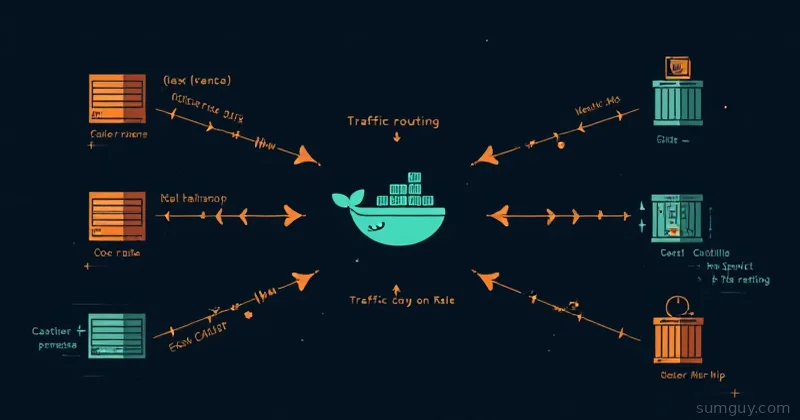
The Reverse Proxy You’ll Actually Use
nginx is powerful, it’s battle-tested, and the config syntax will make you feel like you’re reading ancient runes at 11 PM on a Tuesday. location ~ ^/api/(?!internal)(.+)$ is a perfectly valid line that nobody wants to debug after a long day.
Nginx Proxy Manager (NPM) is what you install when you want a working reverse proxy in 20 minutes without reading a 40-page manual. It’s a GUI on top of nginx and certbot, ships as a Docker container, and handles 90% of home lab reverse proxy needs with point-and-click simplicity.
No condescension about the GUI approach: your services get HTTPS, you get your evening back. That’s a win.
What NPM Actually Is
Under the hood, NPM is three things duct-taped together nicely:
- nginx: the actual proxy doing the routing
- certbot: handling Let’s Encrypt cert issuance and renewal
- A web UI: so you don’t have to hand-edit
nginx.confevery time
By default it runs as a single container backed by SQLite, fewer moving parts, perfect for a home lab. If you want a separate database, you can point it at MariaDB instead, which is the better call once you’re managing a lot of hosts. The Compose setup below uses MariaDB so you can see both pieces.
Docker Compose Setup
services:  npm:    image: jc21/nginx-proxy-manager:latest    restart: unless-stopped    ports:      - "80:80"      - "443:443"      - "81:81"    # Admin UI — lock this down later    environment:      DB_MYSQL_HOST: "db"      DB_MYSQL_PORT: 3306      DB_MYSQL_USER: "npm"      DB_MYSQL_PASSWORD: "changeme"      DB_MYSQL_NAME: "npm"    volumes:      - ./data:/data      - ./letsencrypt:/etc/letsencrypt    depends_on:      - db
  db:    image: jc21/mariadb-aria:latest    restart: unless-stopped    environment:      MYSQL_ROOT_PASSWORD: "changeme_root"      MYSQL_DATABASE: "npm"      MYSQL_USER: "npm"      MYSQL_PASSWORD: "changeme"    volumes:      - ./mysql:/var/lib/mysql
Spin it up:
docker compose up -dPort 81 is the admin UI. Ports 80 and 443 are where your traffic actually flows. Keep port 81 off the public internet, firewall it to your local network or VPN.
First Login: Change the Defaults Immediately
Open http://your-server-ip:81. Default credentials:
- Email:
admin@example.com - Password:
changepwd
The UI prompts you to change both on first login. Do it. Seriously, there are bots scanning for exposed NPM instances with default creds. This isn’t paranoia, it’s basic hygiene.
Adding Your First Proxy Host
Dashboard → Proxy Hosts → Add Proxy Host.
The form is straightforward:
- Domain Names:
app.yourdomain.com - Scheme:
http(NPM handles the HTTPS termination) - Forward Hostname/IP: The internal IP or hostname of your service
- Forward Port: Whatever port it listens on
Hit the SSL tab. Select Request a new SSL Certificate, check Force SSL and HTTP/2 Support. Enter your email for Let’s Encrypt notifications.
Click Save. NPM talks to Let’s Encrypt, gets a cert, and configures nginx. Takes about 15 seconds. Your service is now live at https://app.yourdomain.com with a valid cert.
That’s it. That’s the core loop.
Wildcard Certs with DNS Challenge (Cloudflare)
Standard HTTP challenge certs require port 80 to be reachable from the internet. DNS challenge doesn’t, it proves domain ownership by creating a TXT record instead. This lets you get a wildcard cert (*.yourdomain.com) covering all subdomains, even for services on an internal network with no public port 80.
In NPM, when requesting a cert: check Use a DNS Challenge, select Cloudflare as the provider, and paste in your Cloudflare API token (needs Zone:DNS:Edit permissions on your zone).
NPM creates the validation TXT record, waits for propagation, gets the wildcard cert, then cleans up the record. One cert to rule all your subdomains.
DNS propagation gotcha: If cert issuance fails with a DNS timeout, it’s usually because Cloudflare’s API and their authoritative servers haven’t fully synced yet. Wait 60 seconds and retry. It’s not you, it’s eventual consistency being its usual self.
Access Lists: IP Whitelists and Basic Auth
Under Access Lists, you can create reusable auth layers and attach them to proxy hosts.
IP Whitelist: Add your home IP range (e.g., 192.168.1.0/24). Any request outside that range gets a 403. Great for internal tools you accidentally exposed publicly.
Basic Auth: Add username/password pairs. NPM handles the nginx auth_basic config. Attach the access list to a proxy host and that service now prompts for credentials before loading.
You can combine both: whitelist AND basic auth. Belt and suspenders. Your 2 AM self will appreciate it when you realize you left Portainer accessible to the internet.
Streams: Proxying TCP and UDP
Most people don’t know NPM does TCP/UDP proxying too, not just HTTP. This is called Streams in the UI.
Use cases:
- Game servers (Minecraft on port 25565, Valheim on 2456)
- Database access without SSH tunneling
- MQTT brokers
- Anything that speaks raw TCP or UDP
Dashboard → Streams → Add Stream. Set the incoming port, the forwarding host/IP, and the destination port. Toggle UDP if needed.
No SSL on streams, that’s a TCP/UDP layer, not HTTP. For encrypted connections you’d handle TLS at the application level.
Cert Renewal Gotchas
Let’s Encrypt certs expire every 90 days. NPM auto-renews them, but renewal can fail silently if:
-
Port 80 is blocked. HTTP challenge renewal requires port 80 to be reachable. If your ISP blocks it or your firewall rule lapsed, renewals fail. Check NPM’s logs:
docker compose logs npm | grep -i renew -
DNS propagation is slow. DNS challenge renewals have the same timing issues as initial issuance. If you’re on a flaky DNS provider, consider switching to Cloudflare.
-
The container restarted mid-renewal. Unlikely but it happens. If a cert shows as expired in the UI, just click the cert → Edit → Force renew.
Set a calendar reminder to check NPM’s cert list every month or two. It takes 30 seconds and saves you from an expired cert ruining a weekend.
When You’ve Outgrown NPM
NPM is excellent until it isn’t. Here’s where it starts showing limits:
- No Docker label integration. Traefik reads container labels and auto-configures routes. NPM requires manual UI entry for every new service. At 5 services this is fine. At 50 it’s a chore.
- No dynamic config. Traefik and Caddy watch for config changes and reload automatically. NPM changes go through the UI and the database.
- No middleware pipeline. Traefik has middleware chains: rate limiting, header injection, OAuth2 proxy integration. NPM’s access lists are simpler and less composable.
- Multi-node is awkward. NPM isn’t designed for distributed setups. If you’re running a cluster, you want something Kubernetes-native or at least cluster-aware.
The upgrade path is clear: NPM works great for a single-node home lab. When you hit the limits above, usually around the time you’re managing 20+ services or need per-service middleware, Traefik or Caddy is the next step.
Both have steeper learning curves. Both reward you with more power. Neither will replace NPM’s “20 minutes to working HTTPS” onboarding experience.
The Bottom Line
Nginx Proxy Manager is the reverse proxy that gets out of your way. Install it, add your services, get SSL certs, and go do something else. The GUI isn’t a crutch; it’s a reasonable tool choice for a common problem.
When complexity demands more: Traefik for Docker-native label-based routing, Caddy for simple config files that don’t feel like regex puzzles. But for most home labs, NPM will handle everything you throw at it without complaint.
Start here. Migrate when you have a reason to, not because someone on Reddit said GUIs are for amateurs.