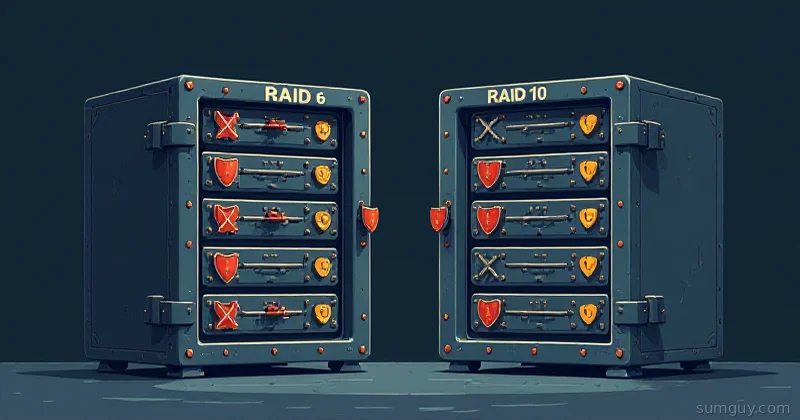
You’ve Got Four Drives. Now What?
You built a NAS. You bought four drives. You Googled “what RAID should I use” and got seventeen different opinions from seventeen different Reddit threads. Half of them said RAID 6, half said RAID 10, and three of them told you to just use ZFS as if that answered the question.
Here’s the real answer: both RAID 6 and RAID 10 can survive two simultaneous drive failures. Both require four drives minimum. Both give you the same usable storage from the same drive count. But they get there completely differently. And that difference matters.
If you haven’t read the RAID 0, 1, and 5 explainer yet, start there for the foundation. This article assumes you understand what striping, mirroring, and parity mean.
RAID 6: Double Parity
RAID 6 extends RAID 5 by adding a second independent parity block. Where RAID 5 can reconstruct from any single drive failure, RAID 6 can reconstruct from any two simultaneous failures. You’re storing two parity blocks per stripe, distributed across all drives.
With four 4TB drives: (N-2)/N = 2/4 = 50% efficiency → 8TB usable. Same as RAID 10, as it happens.
The Parity Tax
All that double-parity protection costs you on writes. Every write operation requires calculating two separate parity values and writing them across the stripe. On spinning drives this is noticeable. On a software RAID stack running on a CPU without dedicated parity hardware, it’s more noticeable. RAID 6 write performance is the worst of any commonly used RAID level: slower than RAID 5, much slower than RAID 10.
Read performance is fine, similar to RAID 5, which is to say: reads benefit from striping and are fast.
When RAID 6 Fits
RAID 6 shines when your workload is predominantly reads and you need maximum protection during rebuilds. Archives, cold storage, backup targets, media libraries: lots of reads, infrequent writes, and you want to sleep soundly knowing you can lose two drives at once.
The rebuild risk that makes RAID 5 nervous on large drives is less scary with RAID 6: if a drive dies and you’re rebuilding, you can lose a second drive during that rebuild window and still survive. With 8TB and 16TB drives becoming standard, this matters.
# Create RAID 6 with 4 drivesmdadm --create /dev/md6 --level=6 --raid-devices=4 \  /dev/sdb /dev/sdc /dev/sdd /dev/sde
# Check usable size and statusmdadm --detail /dev/md6 | grep -E "Array Size|State|Raid Level"
Raid Level : raid6 Array Size : 8388608 (8.00 GiB 8.59 GB) State : cleanTwo of your four drives worth of capacity goes to parity. The remaining two are data. That’s your 50% efficiency on a 4-drive array.
RAID 10: Mirrored Stripes
RAID 10 combines RAID 1 (mirroring) and RAID 0 (striping). You take your four drives, create two mirrored pairs, then stripe data across both pairs. You get the redundancy of mirroring and the performance of striping.
With four 4TB drives: 50% efficiency → 8TB usable. Same as RAID 6. The capacity math works out identically at 4 drives.
The Performance Story
RAID 10 is fast. Both reads and writes benefit from the striping component. Writes go to both drives in each mirror simultaneously, and because writes are striped across two pairs, you get double the write bandwidth compared to a single drive. Reads can be served from either drive in each mirror, which helps with random I/O.
This is why RAID 10 is what most production database servers use. High write throughput, excellent random I/O, solid redundancy. If you’re running something write-heavy (VMs, databases, anything with lots of random writes), RAID 10 wins this comparison clearly.
The Fault Tolerance Nuance
RAID 10’s “two drive failure” story has a catch. It can survive two drive failures, but only if the two failed drives are in different mirrored pairs. If both drives in the same mirror die, you lose the array.
With four drives in two pairs: there’s a 1-in-3 chance that a second random failure hits the same pair and kills everything. With six or eight drives in more pairs, those odds improve significantly.
RAID 6 can survive any two drive failures. No topology dependency. If “any two drives” is your threat model, RAID 6 is the more bulletproof answer.
# Create RAID 10 with 4 drivesmdadm --create /dev/md10 --level=10 --raid-devices=4 \  /dev/sdb /dev/sdc /dev/sdd /dev/sde
# Verify the layoutmdadm --detail /dev/md10 | grep -E "Array Size|State|Raid Level|Layout"
Raid Level : raid10 Array Size : 8388608 (8.00 GiB 8.59 GB) Layout : near=2 State : cleannear=2 is the default layout, each data block is written to 2 drives, the way you’d expect a mirror to work.
Head-to-Head
| RAID 6 | RAID 10 | |
|---|---|---|
| Min drives | 4 | 4 |
| Usable space (4×4TB) | 8TB | 8TB |
| Fault tolerance | Any 2 drives | 2 drives (different pairs) |
| Read performance | Good (striped) | Excellent (striped + mirror read) |
| Write performance | Slow (double parity calc) | Fast (striped writes) |
| Rebuild time | Slow (reads entire array) | Faster (rebuilds one mirror) |
| Best for | Read-heavy, cold storage, archives | Write-heavy, VMs, databases |
| Weak spot | Write-heavy workloads | Same-pair double failure |
The Rebuild Difference Matters More Than You’d Think
When a drive fails in RAID 6, reconstructing the lost data requires reading every other drive in the array to recalculate what was on the dead drive. On a 4-drive array this means reading data from 3 drives. On a larger array, it scales with array size. Rebuild times can be very long on large arrays with large drives.
RAID 10 rebuilds are faster. When a drive fails, the array only needs to copy data from that drive’s mirror partner. It’s not recalculating parity across the whole array; it’s doing a 1:1 copy from one drive to its replacement. Much simpler, much faster. During a shorter rebuild window, you’re exposed for less time.
The Home Lab Verdict
Pick RAID 6 if: You’re building a bulk storage array (NAS, backup target, media library), writes are infrequent, and you want the strongest “two drives can die and I’m fine” protection regardless of which drives they are. Also the right call if you’re adding more than 4 drives and want parity-based storage efficiency to scale.
Pick RAID 10 if: You’re building a VM datastore, running databases, doing anything write-heavy, or you want the fastest possible array with redundancy. You get real performance gains vs RAID 6 at the cost of slightly weaker fault tolerance semantics.
For a 4-bay NAS storing movies and photos: RAID 6. Low writes, maximum protection. For a Proxmox storage backend on 4 SSDs: RAID 10. Write performance matters, and SSDs rebuild fast. For a 12-drive bulk storage box: RAID 6. Parity scales better than mirrors, and rebuild risk on huge drives makes the double-parity protection worth the write penalty.
One More Option You Should Know About
If you want RAID built directly into your filesystem, with checksums, scrubbing, and snapshots all included, RAID 6’s equivalent in ZFS is RAIDZ2 (two parity drives, same concept). The ZFS vs Btrfs article covers that world. mdadm RAID 6 and 10 are the right tools when you want to keep the filesystem choice separate from the redundancy layer.
For the full story on why your freshly built RAID array might still eat your data (rebuild math, URE rates, monitoring), that’s the next article in this series.