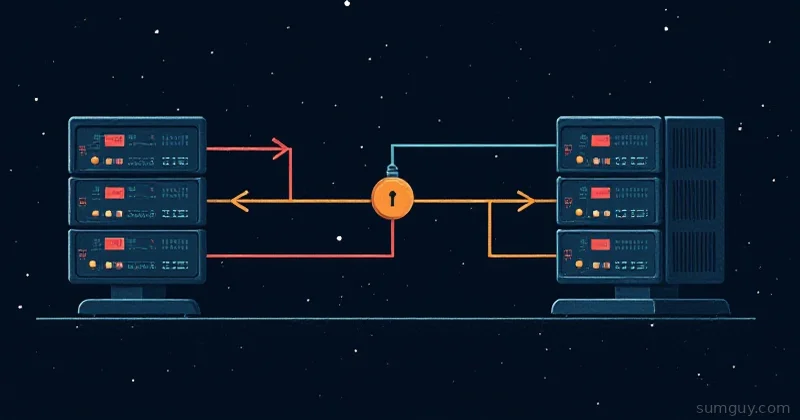
You’re on a jump host. You need to SSH to an internal server. You don’t want to copy your SSH key to the jump host.
Solution: SSH agent forwarding. It lets the jump host borrow your SSH key without actually having it.
Sounds great. In practice? It’s a security landmine.
How Agent Forwarding Works
Normal SSH:
Your machine ↓ (SSH key loaded in ssh-agent) → Jump host ↓ (your key stays local) → Internal server (jump host uses your key)With agent forwarding (ForwardAgent yes):
Your machine (ssh-agent running, with your key) ↓ → Jump host ↓ (jump host can ask your agent for signatures) → Internal server (jump host requests signature from YOUR agent)The jump host never sees your key. It just asks your local agent: “Can you sign this? Pretty please?”
Seems safe, right?
The Security Risk
Root on the jump host can steal your key.
Here’s how:
# You're on jump host with agent forwarding enabledjump$ SSH_AUTH_SOCK=...  # env var points to your agent socket
# Attacker (who is root on jump host) hijacks the socket:jump# SSH_AUTH_SOCK=/tmp/ssh-XXXX/agent.12345 ssh-add -l
# With the socket in hand, root can ask YOUR agent to sign anything
# Now attacker can SSH anywhere you can SSH
This isn’t hypothetical. If the jump host is compromised, your key is compromised.
When Agent Forwarding Is Safe
Almost never.
The only scenario: You fully trust the jump host operator, and you’ve verified the host key is correct.
# One-time: check the jump host fingerprintssh-keyscan jump.example.com | ssh-keygen -lf -
# Compare manually with your sysadmin
Even then, it’s paranoid to avoid it.
The Better Way: ProxyJump
Don’t forward your agent. Use ProxyJump instead.
Host jump    HostName jump.example.com    User admin
Host internal    HostName internal-db.local    User appuser    ProxyJump jump
Now:
$ ssh internal# SSH establishes connection: local → jump → internal# Your key never leaves your machine# Jump host never sees your keyThis is secure by design. The jump host is just a tunnel, not a party to your authentication.
If You Must Forward
(You shouldn’t.)
Host unsafe-jump HostName jump.example.com ForwardAgent yesThen:
$ ssh unsafe-jumpNow:
jump$ ssh internal-server# Uses your agent to authenticate# But root on jump can now steal your key!How to Know If Agent Forwarding Is Enabled
On the server:
jump$ echo $SSH_AUTH_SOCK/tmp/ssh-XXXXXX/agent.12345If this is set, you have agent access. If root can read it, your key is at risk.
jump$ ls -la $SSH_AUTH_SOCKsrwx------ 1 user user 0 Apr 26 10:00 /tmp/ssh-XXXXX/agent.12345     ↑  only you can access it (good)
# But root can still access anything!
Testing If Agent Forwarding Works
$ ssh -v jump...debug1: Requesting authentication agent forwarding.If you see that, agent forwarding is active.
Test if it actually works:
jump$ ssh-add -l# Lists keys in your local agent3072 SHA256:xxxxx ~/.ssh/id_rsa (RSA)
jump$ ssh internal-server# Uses one of those keys to authenticate
If ssh-add -l works, agent forwarding is working.
Disabling Agent Forwarding
Global default:
Host * ForwardAgent noPer-host:
Host unsafe-jump    ForwardAgent no
Host trusted-jump    ForwardAgent yes
Command-line override:
ssh -o ForwardAgent=no jumpReal-World: Jump Host Chain
# Don't forward agentHost jump    HostName jump.example.com    ForwardAgent no
# Use jump as proxy, don't forward agentHost internal    HostName internal.local    ProxyJump jump    ForwardAgent no
Now:
$ ssh internal# local → jump → internal# At no point does agent forwarding happen# Your key is safeWhen People Use Agent Forwarding (And Why They’re Wrong)
“I need to SSH from jump to internal. How else do I do it?”
Answer: ProxyJump. That’s literally what it’s for.
“But I have an old SSH version that doesn’t support ProxyJump.”
Answer: SSH 7.3+ (2016). Upgrade.
“We use sshpass / passwords.”
Answer: Use SSH keys instead. Safer.
“Our jump host is internal and we trust it.”
Answer: Until it’s not. And you don’t. “Internal” is a policy. Attackers don’t care.
The Real Risk
Agent forwarding is a privilege escalation vector. Once an attacker is on the jump host, they can:
- Use your agent to SSH to other servers
- Use your agent to sign other requests (if you use SSH for authentication elsewhere)
- Steal credentials stored in agents (rare, but possible)
ProxyJump sidesteps all of this. The jump host becomes a dumb tunnel.
Best Practice
Host *    # Default: no agent forwarding    ForwardAgent no
# Jump hostsHost jump    HostName jump.example.com    # Still no forwarding, we use ProxyJump instead
# Everything behind jumpHost *.internal    ProxyJump jump    # No forwarding needed
No agent forwarding. Ever. Problem solved.
TL;DR
- Agent forwarding: Lets jump host borrow your SSH key.
- Risk: Root on jump host can steal your key.
- Better: Use ProxyJump (jump host becomes a tunnel, not a party).
- Default: ForwardAgent no in ~/.ssh/config.
- When to forward: Almost never. ProxyJump is always better.
Your key stays local. Everyone’s happy.