Your SSH Key Is Probably Showing Its Age
If you generated your SSH key more than five years ago and haven’t touched it since, there’s a real chance it’s RSA-2048 or smaller. That’s not great. It might still work, OpenSSH will happily connect with it, but “still works” and “is a good security choice” stopped being the same thing a while back.
This article is the 2026 update to our old SSH key generation guide. That one walked you through the basics. This one tells you which key type to actually use and why the old defaults aren’t cutting it anymore.
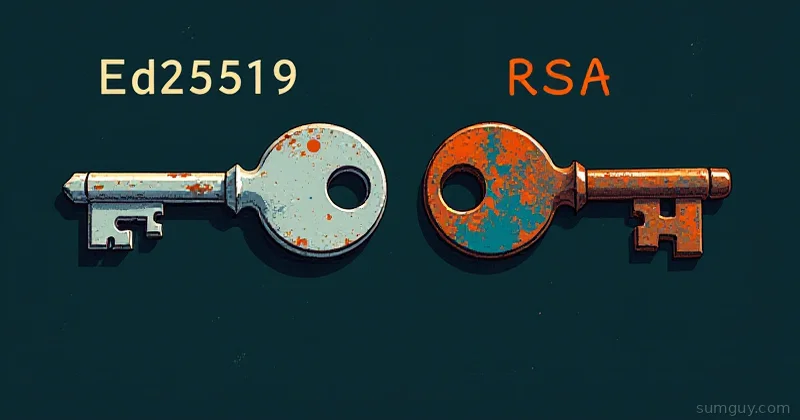
The answer is Ed25519. Let’s get into why.
RSA: The Arms Race You Can’t Win
RSA was the SSH key type for decades. It’s based on the difficulty of factoring large prime numbers. The bigger your key, the harder it is to crack, in theory.
In practice, this created a key size arms race. RSA-512 was broken in 1999. RSA-1024 is considered broken today, the computational cost to factor it is within reach of well-resourced attackers. RSA-2048 is still technically acceptable, but NIST has been sending increasingly pointed memos about it. Their formal deprecation guidance recommends transitioning away from RSA-2048 by 2030, and RSA-2048 is already disallowed in some compliance frameworks.
RSA-4096 buys you more margin, but at the cost of noticeably slower operations, larger key material, and you’re still playing the same game on a longer timeline. You’re not solving the problem, you’re kicking it.
There’s also the question of implementation quality. RSA operations require a good source of randomness at key generation time. Poor entropy, common on freshly provisioned VMs or embedded systems, can produce weak keys that look fine on the surface.
DSA: Don’t. Just Don’t.
DSA (Digital Signature Algorithm) is deprecated everywhere that matters. OpenSSH disabled DSA key support by default in OpenSSH 7.0, that was 2015. Most modern distros won’t even generate DSA keys. If you have one, rotate it immediately. There’s no nuance here.
ECDSA: Better, But Baggage
ECDSA improved on RSA significantly, smaller keys, faster operations. But it uses NIST P-256 or P-384 curves, and those curves have a trust problem. They were designed with NSA input in the early 2000s, and while no concrete backdoor has been proven, the cryptographic community has been uncomfortable with them ever since the Dual_EC_DRBG revelations. “Probably fine” is a phrase you’d rather not apply to your authentication keys.
ECDSA also shares RSA’s Achilles heel: it requires high-quality randomness during signing. A weak random number generator during signing (not just key generation) can leak your private key. This has happened in the wild.
Ed25519: Why It Wins
Ed25519 is based on the Curve25519 elliptic curve, designed by Daniel Bernstein with explicit, auditable parameters and no NIST involvement. The design choices are documented and reviewable, not handed down from a government agency.
Here’s why it’s the right default:
- Small key size, high security: A 256-bit Ed25519 key provides roughly equivalent security to RSA-3072. Your
authorized_keysfile stops looking like a paragraph. - Fast: Ed25519 signing and verification are faster than RSA, especially at equivalent security levels.
- No randomness dependency during signing: Ed25519 uses deterministic signing. A bad RNG during key generation is still bad, but a bad RNG during signing won’t leak your private key. This is a meaningful practical advantage on embedded systems and early-boot environments.
- OpenSSH default since 8.0: Released in 2019, OpenSSH 8.0 made Ed25519 the recommended type. Every major Linux distro ships a version well past this point.
Generating an Ed25519 Key
One command:
ssh-keygen -t ed25519 -C "your@email.com"The -C flag is just a comment, use your email, hostname, or whatever helps you identify the key later. It shows up in authorized_keys and makes auditing easier.
You’ll be prompted for a save location (accept the default ~/.ssh/id_ed25519 unless you have a reason to change it) and a passphrase.
Passphrase: Not Optional, Actually
When ssh-keygen asks for a passphrase, use one. Here’s what it actually protects: if your private key file is ever exfiltrated, laptop stolen, backup misconfigured, S3 bucket left public for three hours, the attacker can’t use it without the passphrase.
Your private key without a passphrase is a credential in plain text. With a passphrase, it’s encrypted at rest using AES-256-CTR (OpenSSH format). The passphrase never leaves your machine; it’s used locally to decrypt the key in memory.
“But I’ll have to type it every time.” No, you won’t, that’s what ssh-agent is for.
ssh-agent: Type Your Passphrase Once
ssh-agent holds your decrypted key in memory for the duration of your session. Add this to your ~/.bash_profile or ~/.zshrc:
# Start ssh-agent if not already runningif [ -z "$SSH_AUTH_SOCK" ]; then eval "$(ssh-agent -s)"fiThen add your key:
ssh-add ~/.ssh/id_ed25519You’ll type your passphrase once. After that, SSH connections use the in-memory key. Session ends, key is gone from memory.
On macOS, Keychain handles this automatically. On Linux, consider keychain (the tool, not macOS Keychain) for persistent agent management across terminal sessions:
# Install keychain (Debian/Ubuntu)sudo apt install keychain
# Add to ~/.bash_profile or ~/.zshrceval "$(keychain --eval --quiet id_ed25519)"
~/.ssh/config: Stop Typing Flags
The config file lets you set per-host defaults so you’re not typing -i ~/.ssh/special_key -p 2222 -J bastion.example.com every time.
# Default settings for all hostsHost *    AddKeysToAgent yes    IdentityFile ~/.ssh/id_ed25519
# Jump through a bastion hostHost internal-server    HostName 10.10.0.50    User deploy    ProxyJump bastion.example.com
# Non-standard port, different keyHost old-server    HostName legacy.example.com    Port 2222    IdentityFile ~/.ssh/id_ed25519_legacy    User ubuntu
# Port forward shortcutHost db-tunnel    HostName db.internal.example.com    LocalForward 5432 localhost:5432    User admin
Permissions matter here:
chmod 700 ~/.sshchmod 600 ~/.ssh/configchmod 600 ~/.ssh/id_ed25519chmod 644 ~/.ssh/id_ed25519.pubSSH will silently fail or warn loudly if these are wrong.
Deploying Your Public Key
The easy way:
ssh-copy-id -i ~/.ssh/id_ed25519.pub user@hostThis appends your public key to ~/.ssh/authorized_keys on the remote host and sets permissions correctly.
Manual method if ssh-copy-id isn’t available:
cat ~/.ssh/id_ed25519.pub | ssh user@host "mkdir -p ~/.ssh && chmod 700 ~/.ssh && cat >> ~/.ssh/authorized_keys && chmod 600 ~/.ssh/authorized_keys"The permissions are not optional. sshd will refuse to use authorized_keys if it’s world-writable. Remote directory: 700. Key file: 600. This trips people up constantly.
FIDO2 / Hardware Keys: The Next Level
If you want the private key to never exist on disk at all, hardware security keys are the answer. YubiKey, SoloKey, and others support FIDO2/U2F, and OpenSSH supports them natively since 8.2.
# Resident key (stored on the hardware key)ssh-keygen -t ed25519-sk -O resident -C "yubikey"
# Non-resident (private key handle on disk, crypto on hardware)ssh-keygen -t ed25519-sk -C "yubikey"
The -sk suffix means “security key.” The private key material never leaves the hardware device. Even if your machine is fully compromised, the SSH key can’t be stolen without physical access to the hardware token.
ecdsa-sk is the ECDSA variant, prefer ed25519-sk for the same reasons we prefer Ed25519 in general.
Touch confirmation (physical button press required per authentication) can be enforced:
ssh-keygen -t ed25519-sk -O verify-required -C "yubikey-tap"For homelab use, this is optional. For production servers or anything client-facing, it’s worth considering.
Auditing Your Existing Keys
Check what you have:
# Check key type and sizessh-keygen -l -f ~/.ssh/id_rsa
# Check all keys in .ssh directoryfor key in ~/.ssh/id_*; do    [[ "$key" == *.pub ]] && continue    echo -n "$key: "    ssh-keygen -l -f "$key" 2>/dev/null || echo "not a key file"done
Output from ssh-keygen -l looks like:
2048 SHA256:abc123... your@email.com (RSA)256 SHA256:xyz789... your@email.com (ED25519)The number at the start is the key size. (RSA) with anything under 3072 is a rotation candidate. (DSA) is an immediate rotation.
For servers you manage, check what’s sitting in authorized_keys:
ssh-keygen -l -f ~/.ssh/authorized_keysThis lists all authorized keys with their types. Any RSA-1024 entries should alarm you. RSA-2048 entries should prompt a migration plan.
Rotation process: generate a new Ed25519 key, deploy it to all your servers, verify SSH access works, then remove the old key from authorized_keys. Don’t skip the verify step.
Key Type Comparison
| Algorithm | Key Size | Security | Status | Verdict |
|---|---|---|---|---|
| DSA-1024 | 1024-bit | Broken | Deprecated everywhere | Rotate immediately |
| RSA-1024 | 1024-bit | Broken | Disabled in modern OpenSSH | Rotate immediately |
| RSA-2048 | 2048-bit | Marginal | NIST deprecation pending | Rotate soon |
| RSA-4096 | 4096-bit | OK | Still accepted | Acceptable, but why |
| ECDSA-256 | 256-bit | Good | Supported | NIST curve concerns |
| Ed25519 | 256-bit | Excellent | OpenSSH default | Use this |
| ed25519-sk | 256-bit | Excellent + physical | Hardware required | Use for high-value access |
The One-Time Cleanup
Here’s the honest version: most people have one SSH key they generated years ago and have been carrying it everywhere. That key is probably RSA-2048, probably has no passphrase “because it’s inconvenient,” and has accumulated access to a dozen servers, cloud accounts, and GitHub.
Generate a fresh Ed25519 key with a passphrase. Use ssh-agent so you only type the passphrase once per session. Deploy the new key. Audit your authorized_keys files. Remove the old key everywhere. This takes an afternoon and you won’t have to think about it for years.
Your 2 AM self, locked out of a server because someone rotated your old RSA key, will wish you’d done this sooner.